Meditate Together
Make room for a personal practice, with other people alongside you. Mind2Mind brings shared meditation into scheduled sessions and Circles, with a time to meet and an intention to return to.
App build 0.1.9+10. All screenshots contain fictional demonstration data. Public browsing, scheduling and Circle practice are separate examples, not a single session or a live event listing.
Choose how to come together.
Find an open session
Browse public scheduled meditations when you want to join a practice someone has already planned.
See public sessionsSet a shared time
Choose a session name, intention, practice style, duration and time. Public sessions can be discovered by other app members.
See schedulingReturn to a Circle
Practice with a familiar group, find its meditation schedule and invite friends into the Circle.
See Circle practice
Join a public session
Find a time that fits.
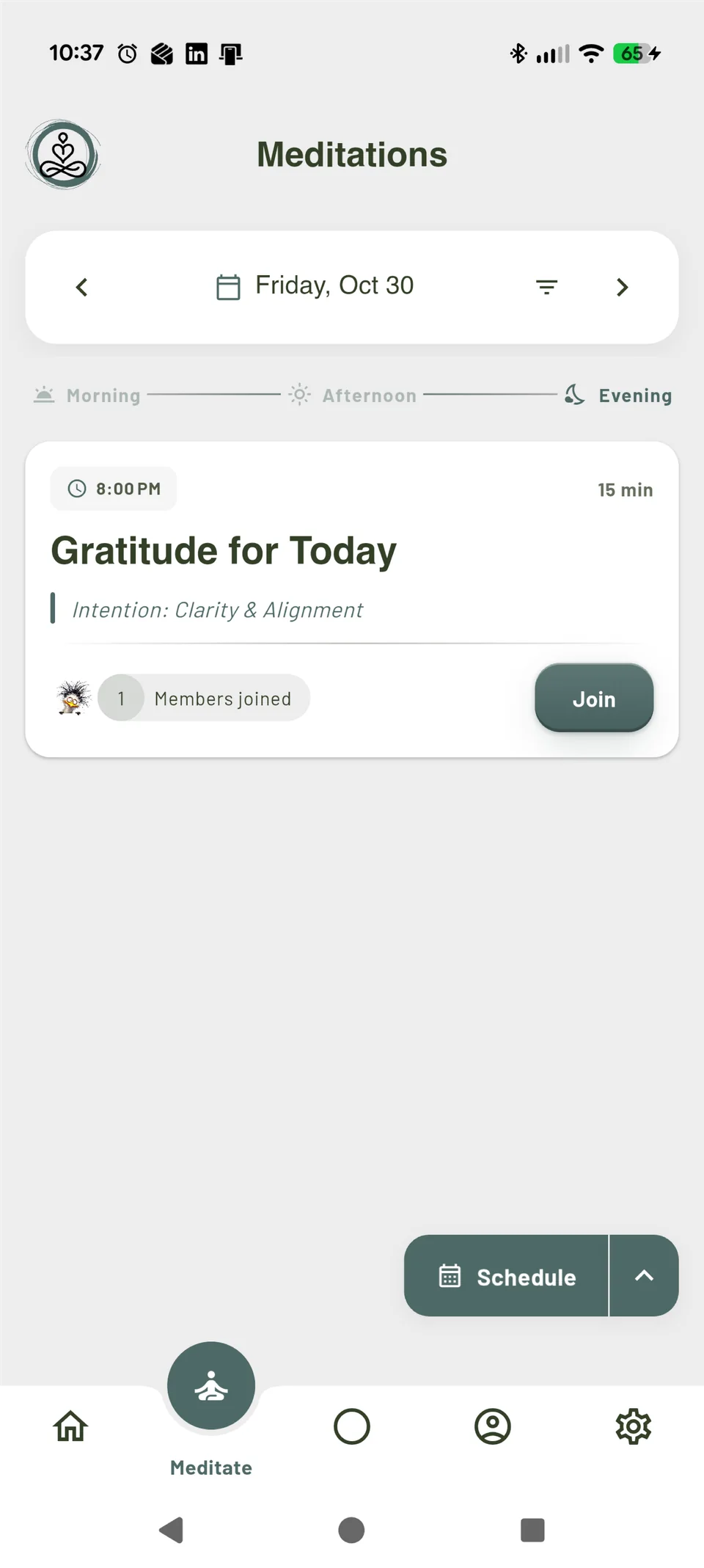
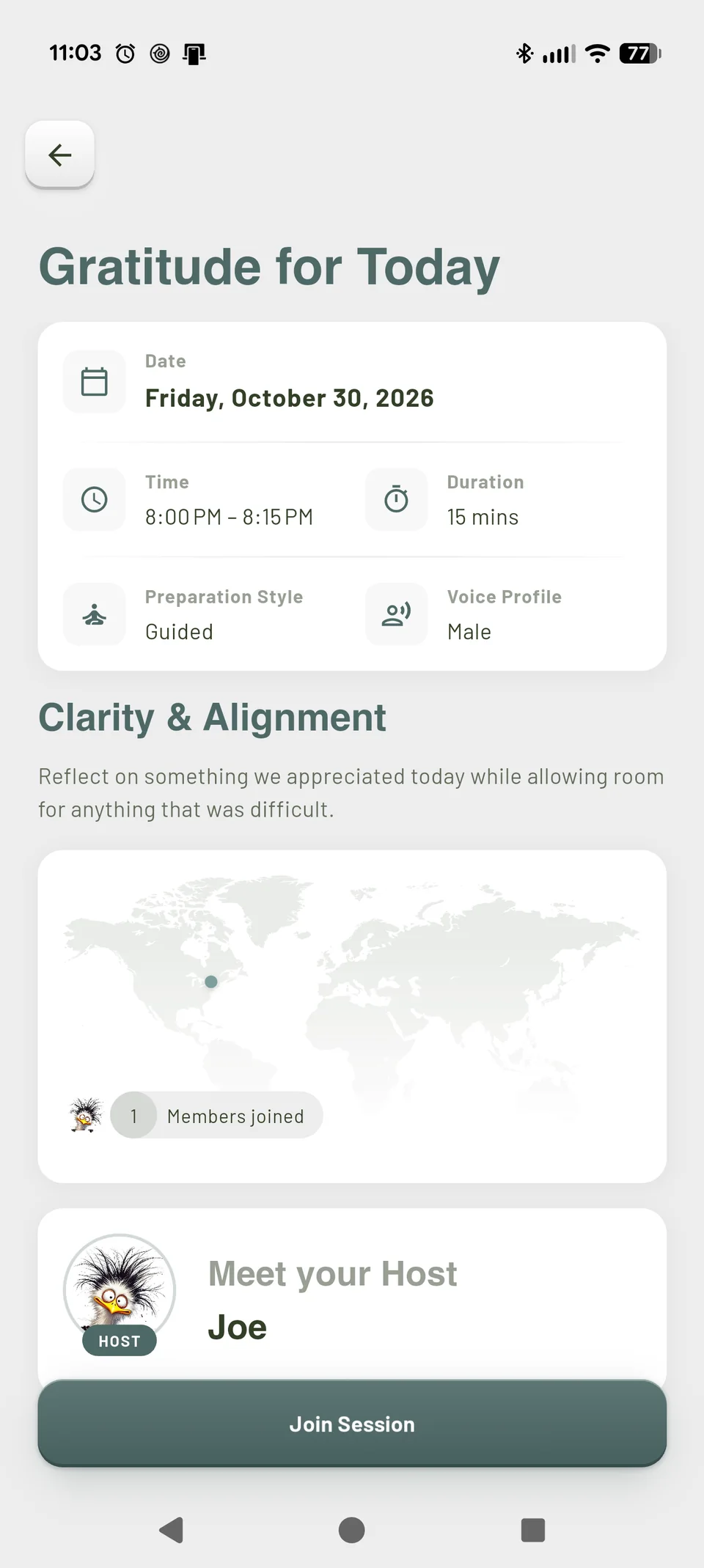
In the app’s Meditate tab, browse public sessions by date. Check the time, duration and intention before deciding whether a practice fits your day. Open a session to see its details and host, then use Join Session to join it.
The Gratitude for Today example is a 15-minute session at 8:00 PM. Its preview shows Guided preparation, a Male voice and a participant preview. Those details belong to this demonstration session; other sessions can use different settings.
Joining adds you to the scheduled practice; it does not start the meditation immediately. When it is time, open the session from Home in the app. Date and time displays follow the device’s local time zone.
- Choose by time and intention, rather than by the number of people shown.
- Review the session before joining.
- Open Mind2Mind at the scheduled time to take part.
Plan a shared practice
Give the practice a place in your day.
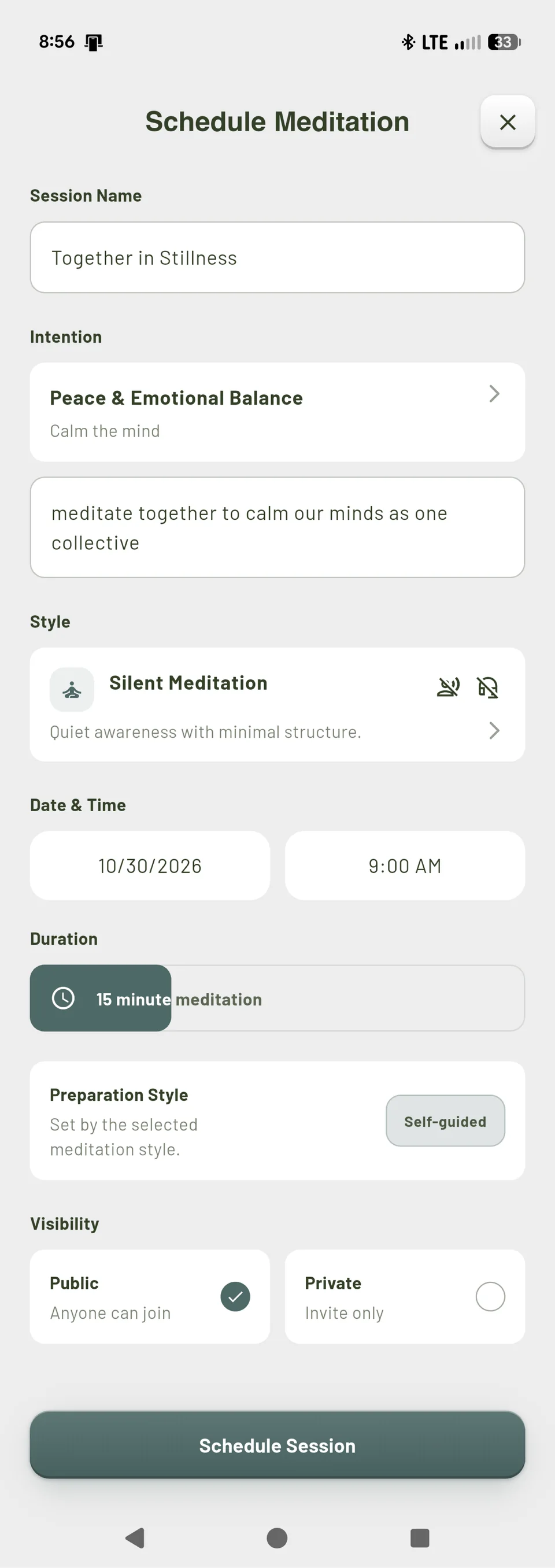
From Meditate, choose Schedule. Set a name and intention, choose a practice style and duration, then pick the date and time. Select Public if you want other app members to discover and join the session.
This separate example is called Together in Stillness. It uses Silent Meditation, 15 minutes and Public visibility. Silent Meditation is a voice-free practice; spoken guidance depends on the selected style and eligible account access.
A shared intention offers a direction for the practice. The words entered in a session are personal choices, not promises of calm or a collective effect. The app’s Immediate option is for solo practice; scheduling is the route for planning a shared time.
- Choose a duration people can make room for.
- Make the intention clear and welcoming.
- Check the date, time and Public visibility before scheduling.
Practice with a Circle
A familiar place to return.
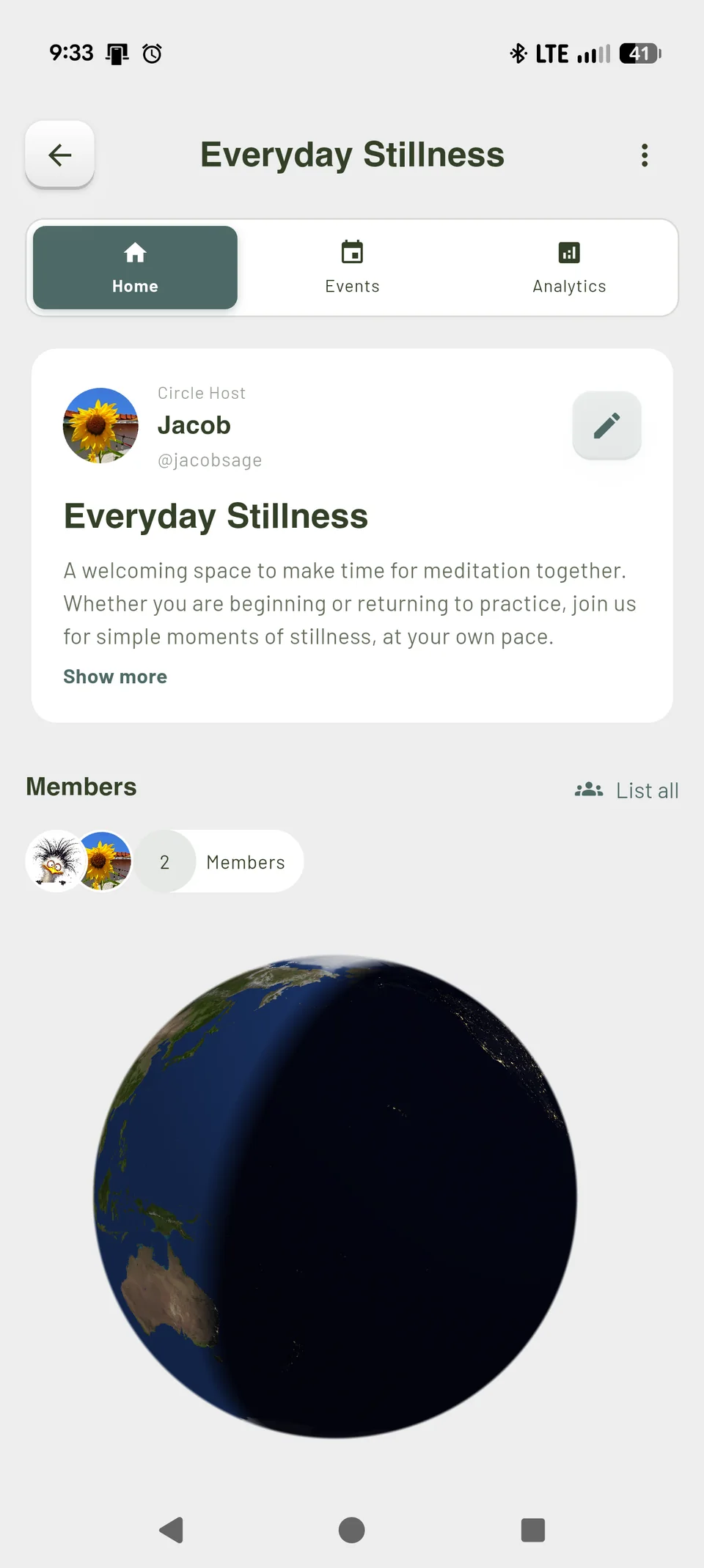
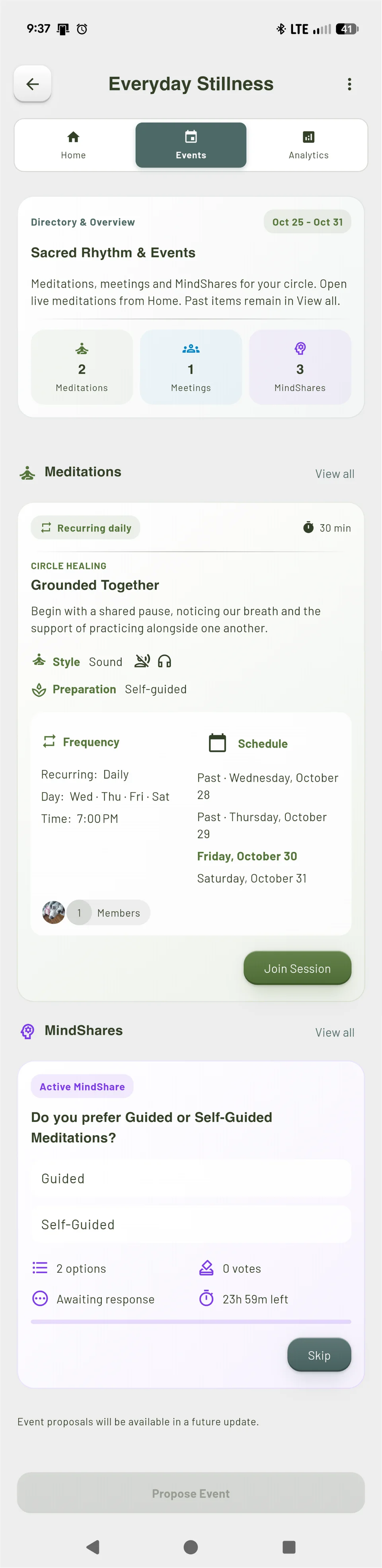
A Circle gives a group a place for ongoing practice. Its Home introduces the Circle and its members. The meditation area in Events shows planned practices, including recurring schedules, so you can see what is coming up.
The Everyday Stillness example welcomes people beginning or returning to meditation. Its separate Grounded Together meditation card shows a recurring 30-minute practice, schedule and Join Session control. The screenshot below focuses on that meditation section.
Joining a recurring Circle meditation manages your participation in that practice. Check its upcoming dates in the app and open a live meditation from Home when it is time. A Circle is useful when you want to keep returning to the same group, rather than browsing a different public session each time.
- Read the Circle description to understand its focus.
- Check the meditation’s schedule and preparation style.
- Use the app’s participation control to join or leave the practice.
Invite friends to a Circle
Make space for someone you know.
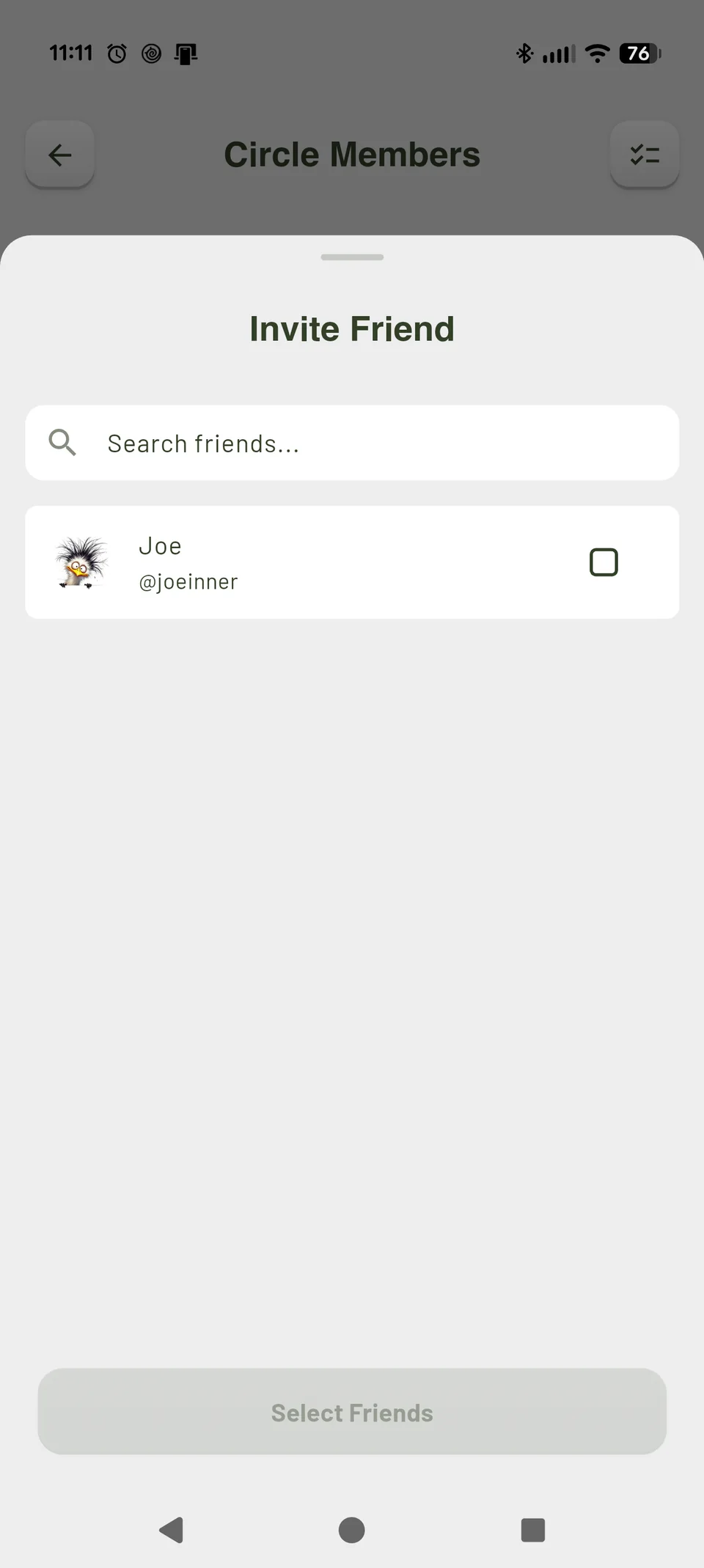
Inside a Circle you belong to, open Members → List all and use the invite control. The Invite Friend sheet lists eligible friends who are not already Circle members. Select a friend, then use the invitation button to send the Circle invitation.
In this example, fictional friend Joe is not selected yet, so the button reads Select Friends. Selecting one friend changes it to Invite 1 Friend. The screenshot does not show an invitation being sent or accepted.
A Circle invitation invites someone into the group. They can then review its meditation schedule and choose their participation. It is separate from a friend request or a chat request.
- Invite an existing app friend into a Circle you belong to.
- Let them choose whether to accept and take part.
- Agree on a practice time that works for everyone.
Before you practice together.
- Can we meditate together from different places?
- Yes. Shared sessions let app members make time for the same scheduled practice while participating from their own locations. Check the local time shown on each device when coordinating across time zones.
- Does everyone hear exactly the same audio at exactly the same moment?
- This page describes shared scheduled practice. It does not promise exact audio alignment across devices. Choose the session and follow the timing and controls shown in the app.
- Is a public session the same as a private Circle?
- No. A public session is discoverable by other app members and shows a participant preview. A Circle is a group with its own members and practice schedule. Read the session visibility and Circle details before joining; a public session is not anonymous practice.
- Can I join or schedule a meditation on this website?
- No. This page does not schedule or join sessions, send invitations, collect group details or transfer settings. Those actions happen inside Mind2Mind.
- Do we need spoken guidance to practice together?
- No. The scheduling example uses Silent Meditation. Voice-based options depend on the selected practice style and eligible account access; the current app availability is explained below.
Continue in Mind2Mind.
 App Store: not released
 Google Play: not released
Mind2Mind is currently free to use in the US. It has not yet been released in the app stores.
If you already have app access, open Mind2Mind and use Meditate to browse scheduled sessions, or Circles to return to your group.
See how Mind2Mind works, explore personal practice settings, or read the FAQ.
Mind2Mind is for wellness, reflection and personal practice. It is not medical care, therapy, diagnosis, treatment or emergency support. Shared intentions are not promises of a particular result.